

Managing Amazon Ads effectively requires seamless collaboration between agency clients and their teams. This article guides you through gaining access to Amazon Ads and inviting users with clear, easy-to-follow steps. Whether you’re new or need to organize your account access, this DIY guide simplifies the process.
Setting Up Your Amazon Ads Account for User Access
Before you can invite other users to your Amazon Ads account, you need to ensure your own access is properly established. If you haven’t already, create an account by registering on the Amazon Advertising homepage. You’ll need to link your Amazon Ads account with an existing Amazon Seller Central or Amazon Vendor Central account, ensuring your products and services are eligible for advertising.
Once the accounts are linked, familiarize yourself with basic account roles. The account holder or administrator has full access, including inviting users and changing permissions. Always be cautious, as this role carries significant control over your advertising endeavors.
Security is paramount. Ensure you utilize strong, unique passwords and review permissions regularly to mitigate risks. Consistent security awareness is integral to maintaining the integrity of your account as multiple users access and manage it.
Getting this initial setup done right is crucial as it forms the basis of managing your Amazon Ads efficiently and effectively. In the next chapter, we’ll delve into the detailed process of inviting users to your Amazon Ads account and managing their permissions, contributing to an optimal and secure advertising environment.
Inviting Users and Managing User Permissions in Amazon Ads
Inviting users to your Amazon Ads account is a straightforward process. Begin from the primary dashboard, locate and click on ‘User Management’. Here you find the ‘Add User’ button, which launches an invitation form. Input the new user’s information, including email and name, then select the permissions appropriate for their role.
Amazon Ads has predefined user roles with varying permissions – Admin, Standard User, and Read-only Access. The admin has full access and can change account settings, add users, and manage campaigns. Standard Users can only create and manage campaigns, but cannot alter account settings or other users. Read-only users can only view the campaigns, not edit.
Maintaining an efficient Amazon Ads account necessitates regular monitoring and adjusting permissions. Users may change roles, leave or new members may join your team. Offering the appropriate level permissions is critical for account security and functionality.
Remember, only provide higher permissions like Admin to trustworthy and responsible team members. It’s easier to grant additional permissions later than to fix unintended changes or breach.
In the next chapter, we discuss best practices to collaborate safely and effectively on Amazon Ads accounts.
Best Practices for Collaborating on Amazon Ads Accounts
Communication and Collaboration
Once users have been granted access to the Amazon Ads account, it’s critical to establish effective communication and collaboration to ensure account integrity and successful campaign management. As the administrator of the account, it’s best to provide a clear chain of command and divide responsibilities among the team. The agency should periodically discuss updates and modifications in ad strategies with the client.
Daily Routines and Responsibilities
Daily routines such as regular audits of user access and permissions help prevent unauthorized actions and ensure prompting compliance. Agencies should provide their clients with full transparency about user activities and recommend changes if necessary.
Revoking User Access
In situations where it’s required to revoke access, administrators can do so under user management. It’s advisable to revoke access promptly if a user is no longer part of the team or if there’s unexpected activity in the account.
Maintaining Relationship with Clients
Maintaining a healthy relationship with the client is essential. Effective communication between agency and client helps in smooth operation. Clients should be educated about their permissions and limitations within the account to prevent any potential miscommunications or misunderstandings.
Overall, both parties need to diligently collaborate and communicate for smooth operation and management of Amazon Ad campaigns ensuring optimal use of Amazon ads for marketing purposes.
Conclusions
Gaining access and inviting users to your Amazon Ads account is straightforward when you follow the right steps. Setting up your account properly, managing permissions carefully, and following best collaboration practices help keep campaigns running smoothly and securely. With these guidelines, you can confidently involve your team or agency and maximize your Amazon Ads success.
Alternative Access with LinkMyAgency
Another approach involves using LinkMyAgency to streamline the access process:
Send a Link: With LinkMyAgency, send a link to your client that allows them to easily grant you the necessary access without complex steps. No more frustration for either you explaining the steps, or your client not finding how to invite you.
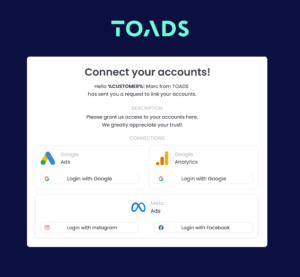
Get Started with LinkMyAgency Sign up for a free 14-day trial in just a minute—no credit card required. Experience how LinkMyAgency can facilitate your agency operations, endorsed by industry giants like Meta, Google, and TikTok.