

ProfitMetrics is a powerful tool designed to help businesses track and analyze their financial performance with ease. This article will guide you step-by-step on how to gain access to ProfitMetrics and invite users, enabling seamless collaboration and maximizing your insights. Let’s explore the straightforward process to get you started.
Getting Started with ProfitMetrics Access
It’s pretty straightforward to gain access to ProfitMetrics. The initial step will require you creating a ProfitMetrics account. In your journey of creating an account, you may be asked questions such as your name, email, agency name, and billing information.
After your account setup, you’ll receive an email to verify your account. Make sure to verify your account to enable all functionalities. Once completed, you can login to ProfitMetrics from any device with the credentials you chose during sign-up.
Upon your first login, you’ll be greeted by the dashboard. Take your time to familiarize yourself with the platform’s features and layout. The ‘Profit’ icon gives a holistic view of profits whereas ‘Metrics’ provides in-depth insights into your performance.
As for credentials, ProfitMetrics utilizes several roles and permissions to adjust your agency’s level of control over the data. Incorrectly issued permissions can restrict access to various metrics, so ensure permissions are properly set according to your team’s needs. But don’t worry, these roles and permissions are adjustable at any time as your team’s needs evolve. This set-up will enable enhanced collaboration and ensure data security.
After gaining access and understanding the navigation, you’re good to begin optimizing profits with ProfitMetrics. So, dive in and start leveraging this powerful platform for your marketing agency. In the following chapter, we’ll discuss how to invite team members to ProfitMetrics and further enhance your agency’s collaboration.
Inviting Users to Enhance Team Collaboration
Now that you have established your ProfitMetrics access, you can begin to invite other users onto the platform. Inviting teammates and colleagues to join ProfitMetrics can significantly enhance the effectiveness and efficiency of your financial analysis. Team collaboration not only promotes diverse perspectives but also significantly improves the speed and quality of decision-making.
Follow these simple steps to extend invitations:
1. Login to your ProfitMetrics account and navigate to the ‘Users’ section in the ‘Settings’ menu.
2. Click ‘Invite New User’
3. Enter the email address of the user you want to invite.
4. Designate specific access levels by choosing a ‘Role’. You can select from different levels such as ‘Analyst’, ‘Accountant’, or ‘Admin’ depending on the tasks you want the user to perform.
5. Once you have finalized the permissions and added the email, click ‘Send Invitation’.
The invited user will receive an email with a link to join ProfitMetrics. Remember, the access rights and permissions attached to each role are important in managing accessibility. They determine the extent of data a user can access and the functionalities they can perform on the platform. Select the roles wisely to maintain a balance between workflow flexibility and data security.
Ensuring your team knows how to use ProfitMetrics effectively is crucial after you’ve invited them. In the following chapter, you’ll learn how to manage user access and optimize usage.
Managing User Access and Optimizing Usage
Effective management of user access is a critical part of maintaining the integrity of your data while optimizing usage of ProfitMetrics. After successfully inviting users, as outlined in the previous chapter, you can monitor their activities by accessing the User Activity Log. This feature provides a detailed account of each user’s actions within the platform.
To ensure optimal collaboration, user permissions may need to be updated or modified from time to time. To do this, navigate to the User Management section and select the user whose permissions you wish to modify. This allows flexibility according to the evolving roles within your team and helps ensure only relevant data is accessed by each user.
A situation may arise when a user needs to be removed. Perhaps they’ve left their role or their access is no longer required. ProfitMetrics simplifies this process; simply go to the User Management panel, find the user and select ‘Remove User’.
Holistically, maintaining security and data privacy is essential. Frequently review user permissions, manage the data each user can access, and ensure the actions taken within the platform align with data privacy policies.
For a smooth, productive experience on ProfitMetrics, schedule regular check-ins with your team to discuss any platform-related issues and to understand their user experience better. These practice will help you maximize Profitmetrics’ potential and intensify your financial analysis and decision-making.
Conclusions
By following these straightforward steps to gain access and invite users to ProfitMetrics, you’ll unlock the full potential of this powerful financial tool. Collaborative use not only enhances insights but also streamlines decision-making within your marketing team. Remember to manage user permissions carefully to keep your data secure while benefiting from shared expertise.
Alternative Access with LinkMyAgency
Another approach involves using LinkMyAgency to streamline the access process:
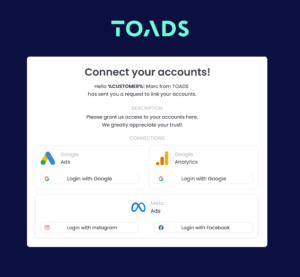
Send a Link: With LinkMyAgency, send a link to your client that allows them to easily grant you the necessary access without complex steps. No more frustration for either you explaining the steps, or your client not finding how to invite you.
Get Started with LinkMyAgency Sign up for a free 14-day trial in just a minute—no credit card required. Experience how LinkMyAgency can facilitate your agency operations, endorsed by industry giants like Meta, Google, and TikTok.